

Financial Modeling Beyond Excel: Why Spreadsheets Don't Scale and What to Use Instead
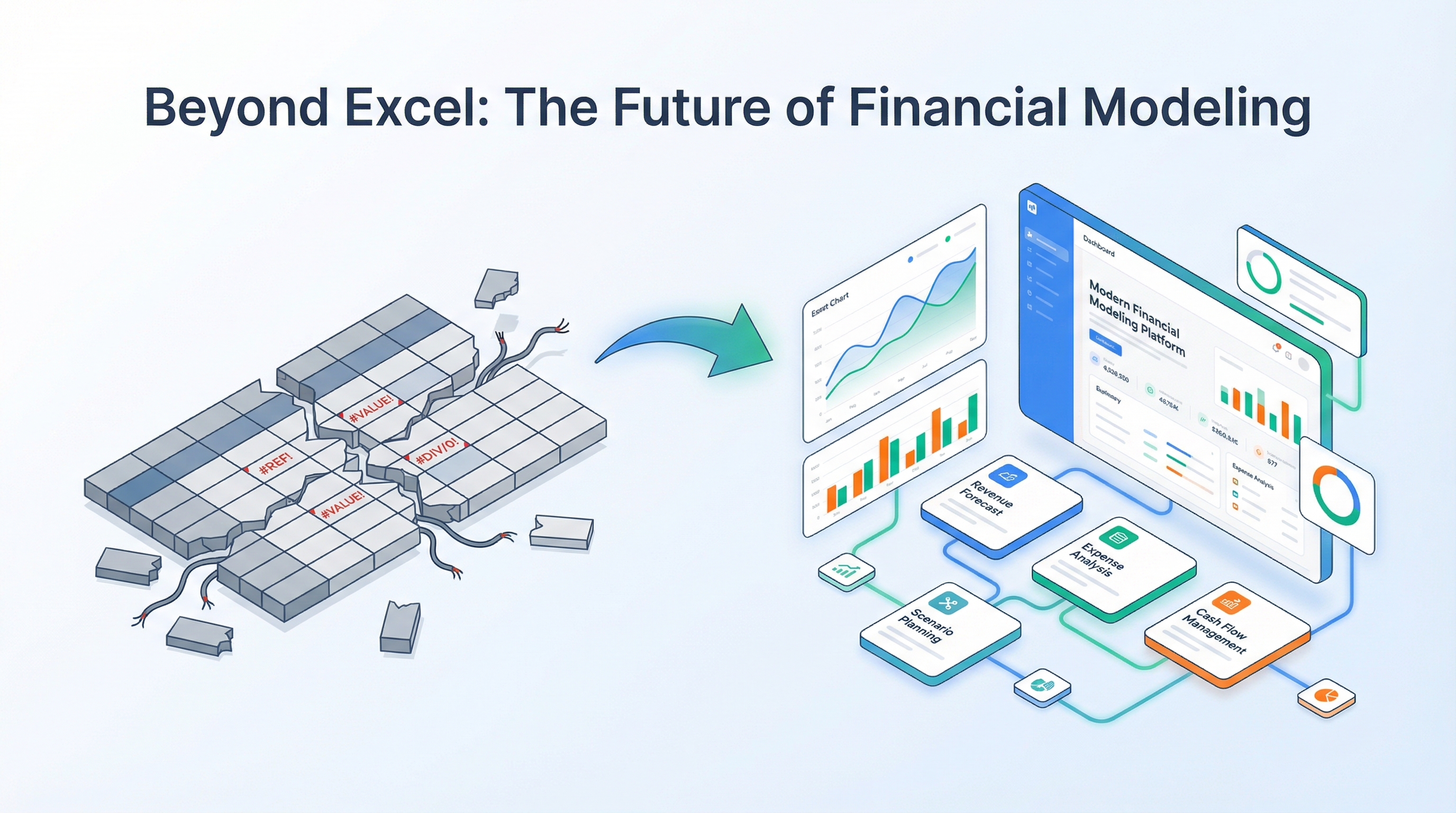
Let me start with a confession: I love Excel. Genuinely. I built my first financial model in it a decade ago, and it worked. Then I built a second, a third, a twentieth. Somewhere around the twentieth I realized I was spending more time debugging formulas than analyzing the business.
This article is not about Excel being bad. It's excellent. But every tool has boundaries. For product-team financial modeling, those boundaries were reached long ago.
Excel — the Golden Standard That May Have Outlived Its Era
Depending on the study, somewhere between 75% and 90% of the world's financial models live in Excel or Google Sheets. That is no accident — spreadsheets have real strengths:
Where Excel genuinely shines:
- Total structural freedom — build whatever you want, however you want
- Zero barrier to entry — every finance professional knows spreadsheets
- Powerful formulas — from VLOOKUP to array formulas and Power Query
- Rapid prototyping — sketch a calculation on a napkin (well, in a cell)
- Ecosystem — macros, add-ins, integrations with ERP systems
The problem is not Excel itself. The problem is that a product financial model is not a spreadsheet. It is a system of interconnected calculations that lives, updates, and is used by multiple people simultaneously. Excel was designed as an electronic spreadsheet for a single user in 1985.
Let's quantify the scope of a typical model. A SaaS startup, 36-month forecast, 8 acquisition channels, 5 revenue streams, 20 expense lines, a team of 12 with staggered hiring. That's:
Three thousand formula-bearing cells. Plus summary rows, scenarios, charts. This is no longer a "spreadsheet" — it is an application written in the language of cell references. And that language has no type system, no tests, and no version control.
7 Spreadsheet Problems That Kill Productivity
Problem 1: Formula Errors — the Silent Killers
Research by F1F9 (a firm specializing in financial model audits) found that 88% of spreadsheets contain errors. A University of Hawaii study put the number at 86%. These are not gross blunders but subtle ones: a forgotten cell in a SUM range, a reference that didn't update after a row insertion, a formula pointing at last month instead of this month.
A concrete example from my practice: a SaaS startup model, 24-month forecast. The active-user formula for month 13 referenced month 11 instead of month 12 — someone inserted a row and the reference didn't update. Result: every number past month 12 was understated by 8–12%. The model showed break-even at month 28; the correct calculation showed month 24. The startup nearly raised an unnecessary round based on faulty data.
The problem is not carelessness. The problem is that Excel cannot verify the semantic correctness of a formula. It knows =A1+B1 is syntactically valid, but it doesn't know you meant =A2+B2.
Problem 2: Version Hell
You open the model folder and find:
Model_v3.xlsx
Model_v3_final.xlsx
Model_v3_final_Sarah_edits.xlsx
Model_v3_final_FINAL.xlsx
Model_v3_final_FINAL(2).xlsx
Model_v4_for_investor.xlsx
Which one is current? Nobody knows. What did Sarah change? You'd need to open both versions and compare cell by cell.
The investor received v3_final_FINAL.xlsx while the team is already working on v4. The numbers don't match. Trust erodes.
A separate subplot: email attachments. "Sending you the latest model" — and two days later you discover the wrong one was sent. A financial model is a living document; it should not have "versions." There should be one current model with a change history.
Problem 3: No Real Collaboration
Yes, Google Sheets partly solves this — multiple people can work simultaneously. But:
- No role-based access at the section level (only entire sheets)
- No change history with the ability to revert a specific field
- No comments tied to specific metrics
- No notifications like "marketing updated acquisition channels — recalculate the forecast"
In my experience, "collaboration" in Sheets looks like this: three people are afraid to touch each other's cells, write edits in chat, and one "model owner" makes changes manually. That is not collaboration — it is a bottleneck.
Problem 4: Scenarios Through Sheet Duplication
The investor wants three scenarios: pessimistic, base, optimistic. In Excel this typically means three copies of the same sheet with tweaked parameters. Problems:
- Drift. A week later you fix a formula on the main sheet — and forget to update the two copies. The scenarios diverge.
- Scale. Three scenarios times three parameters is 27 combinations. Manual copying doesn't scale.
- Transparency. To understand the difference between scenarios, you need to compare sheets side by side. There is no single table showing "parameter — pessimistic — base — optimistic."
Proper scenario analysis involves not just three parameter sets but sensitivity analysis and Monte Carlo simulation. In a spreadsheet that turns into VBA programming.
Problem 5: Visualization Takes Separate Effort
You built the model. Now you need a dashboard: MRR charts, burn rate, runway, LTV/CAC, expense waterfall. In Excel that means:
- A separate sheet (or several) with charts
- Manual configuration of each chart
- Formatting that breaks when data changes
- No interactive scenario switching on the chart
I've seen models where 60% of sheets are "pretty charts for the presentation." They took 3 days to build. A week later the data updated and the charts broke.
Here's a concrete example. A waterfall chart of expenses — one of the most useful visuals for an investor, showing where the money goes. In Excel, building a waterfall requires:
- Creating a helper table with "invisible" columns
- Building a stacked bar chart with transparent bases
- Manually setting colors, labels, and category order
- Repeating for each month or scenario
In a specialized tool, the waterfall is a single widget that updates automatically.
Problem 6: No Connection Between the Model and the Team
A product financial model is not just numbers. It includes:
- The team (who, when they're hired, salary, allocation percentage)
- Acquisition channels (budgets, conversions, lifecycle phases)
- Partners (revenue share, bounty, flat fees)
- Pricing tiers (plans, user distribution)
In Excel all of this is cells. There are no entities like "channel," "team member," or "partner" with attributes. You can't say "show me the P&L for the Enterprise segment only" or "what happens if the marketer starts 2 months later." Each such question requires manual formula editing.
Problem 7: Onboarding a New Person — a 2-Day Quest
A new CFO or financial analyst joins the team. They receive the Excel model. Here's what awaits:
- 15–30 sheets with formulas
- Non-obvious navigation (which sheet calculates what)
- Color coding that only the author understands
- Hidden rows and columns
- Formulas referencing other files (which must be located first)
Average onboarding time for a complex Excel model: 2–3 days. That assumes the author is available for questions. If the author left the company — it's a week, and sometimes it's faster to rebuild the model from scratch.
I once watched a startup founder spend three years building a model in Excel, then leave the project. The new CEO spent two weeks trying to decipher it, hired a freelancer to audit the model (3,000 — the cost of "free" Excel.
Bonus Problem: Audit and Compliance
For startups going through due diligence, the investor often asks for an auditable model. Excel has no audit trail — no history of who changed which number and when. You can enable Track Changes, but in practice it slows down the workflow and creates an unreadable log. The result: the investor's question "why did churn rate change from 5% to 3% between versions" goes unanswered.
What a Modern Financial Modeling Tool Needs
These criteria flow directly from the seven problems above:
Automatic Recalculation of Linked Metrics
Change the churn rate and the following recalculate automatically: monthly active users, MRR, LTV, LTV/CAC, break-even point, NPV, runway. No need to trace every formula, no need to search for "where else is this parameter used."
Built-in Scenarios and Sensitivity Analysis
Three scenarios via a toggle, not sheet duplication. A tornado chart showing which parameter most influences the outcome. The ability to run a Monte Carlo simulation with 1,000 iterations and see the distribution of outcomes.
Collaboration With Roles and History
Marketing edits acquisition channels. The CTO plans the team. The CEO views the dashboard. Each sees what they need. Change history with the ability to revert a specific action — not the entire file, but "restore churn rate to the 5% it was yesterday."
Dashboard Instead of 15 Chart Sheets
25+ widgets that update automatically when data changes. No need to build charts — configure the dashboard once and use it as a monitoring tool.
Export to PDF, Images, and Presentations
The model lives in the tool, but results are often needed in other formats: PDF for the investor, PNG for Slack, a deck for the board meeting. Export should be one click, not "save as PDF — fix page breaks — save again."
Connecting the Model to Real Dynamics
An ideal tool should let you define acquisition channel lifecycle phases: launch delay, ramp-up period, peak, and decay. This is critical for realistic forecasting — content marketing doesn't produce results in month one, and paid ads can burn out after six months. More on channel modeling and the acquisition funnel in the P&L article.
Sharing and Presentation
A model is a communication tool. You need to share it with an investor (read-only), with a mentor (viewer + comments), with the team (editor on specific sections). In Excel this means creating copies with different sheet-protection levels. A modern tool needs flexible link-based access control.
Overview of Tool Categories
The financial modeling tool market breaks into four categories.
1. Classic Spreadsheets (Excel, Google Sheets)
Strengths covered above. Weaknesses are the seven problems. Best for: solo founders at early stages, prototyping, ad-hoc calculations.
2. Low-Code Builders (Causal, Runway, Mosaic)
Visual model builders with drag-and-drop blocks. Each block is a variable or formula. Connections between blocks are displayed graphically.
Strengths: clear model structure, built-in scenarios, strong visualization. Weaknesses: learning curve (you need to think in "blocks" instead of "cells"), limited flexibility for non-standard calculations, high cost ($500–2,000/mo for a team).
Best for: finance teams at Series A+ companies that need integration with accounting systems.
3. Python / R / Jupyter Notebooks
For analysts who think in code. Maximum flexibility, reproducibility through git, ability to connect any data source.
Strengths: full control, automation, big data handling. Weaknesses: requires a programmer, no UI for business users, visualization needs additional libraries, you can't show a Jupyter Notebook to an investor.
Best for: data-driven startups with strong analytics teams.
4. Specialized Product Platforms
Tools designed for a specific job: product financial modeling with a focus on P&L, unit economics, and investment metrics. ProductWave falls into this category — a platform for product teams and startups that unifies P&L calculation, acquisition channels, team planning, scenarios, and dashboards in a single tool.
Strengths: structured sections (channels, team, expenses, revenue, partners, pricing), automatic calculation of all metrics, built-in collaboration and history. Weaknesses: less flexible than Excel for non-standard calculations; tied to a specific methodology.
Best for: product teams, pre-seed through Series A startups, product managers who need a working model rather than a spreadsheet monster.
Comparison Table
| Criterion | Excel | Google Sheets | ProductWave |
|---|---|---|---|
| Auto-recalculation of linked metrics | Partial (formulas) | Partial (formulas) | Full |
| Scenarios | Sheet duplication | Sheet duplication | Built-in (toggle) |
| Collaboration | No | Basic | Roles + history |
| Visualization | Manual charts | Manual charts | Dashboard 25+ widgets |
| Change history | No | Basic (sheet-level) | Granular (field-level) |
| Comments on metrics | No | Cell-level | Sections and widgets |
| PDF export | Manual | Manual | One click |
| Onboarding time | 2–3 days | 1–2 days | 30 minutes |
| Cost | $0–150/yr | $0 | Free tier |
| Flexibility | Maximum | High | Structured |
When to Stay With Excel vs. When to Migrate
Migration from Excel is not about following trends. It is about ROI: when the time you spend fighting the tool exceeds the time you spend analyzing the business.
Stay with Excel if:
- You're the sole user of the model
- The model covers a single product with a simple cost structure
- You don't need scenarios (i.e., you're not raising investment and not discussing the model with a team)
- You already have a polished model that works
Migrate if:
- More than two people use the model
- You need scenarios and sensitivity analysis
- The model updates more than once a week
- You spend more time maintaining the model than making decisions
- You're preparing a model for investors and want to present a dashboard, not a spreadsheet
- You have more than one product or a complex channel structure
Decision Matrix
| Situation | Recommendation |
|---|---|
| Solo founder, MVP, model for personal use | Excel / Google Sheets |
| Team of 3–5, preparing for a round | Specialized platform |
| CFO with polished model + macros | Stay in Excel, export dashboards |
| Product manager, first model | Specialized platform |
| Multi-product company | Specialized platform or Causal/Runway |
| Data-heavy startup, ML at the core | Python + visualization layer |
The Cost of Errors in Dollars
Let's quantify what spreadsheet modeling problems cost a 5-person team:
| Loss | Hours/Month | Cost ($50/hr) |
|---|---|---|
| Finding and fixing formula errors | 4 | $200 |
| Synchronizing versions between participants | 3 | $150 |
| Manually updating charts | 2 | $100 |
| Recalculating scenarios | 3 | $150 |
| Preparing exports (PDF, presentations) | 2 | $100 |
| Onboarding new participants (amortized) | 1 | $50 |
| Total | 15 | $750/mo |
9,000 a year. And that's a conservative estimate. Meanwhile, a specialized tool subscription runs $30–100/month. Migration ROI: under one month.
For more on P&L model structure for startups, see the step-by-step guide. For the metrics a product manager should track, see the article on the PM dashboard.
So When Should You Leave Excel?
The honest answer: not always. If you're working solo, the model is straightforward, and you know your way around it — Excel works. It's still the best tool for quick estimates and ad-hoc calculations. I still open a spreadsheet when I need to figure something out in five minutes.
But when a model stops being "your spreadsheet" and becomes the team's working tool, the rules change. 88% formula error rates, version chaos, scenarios that diverge within a week, onboarding a new person as a multi-day quest — none of these are Excel bugs. They're consequences of using a spreadsheet for something it wasn't designed for. A product financial model is a system, and Excel was built as a single-user tool.
Switching to a specialized platform isn't about trends, and it's not a verdict on Excel. It's about the moment when fighting the tool costs more than the analysis itself. For a team of 3+ people with an actively updated model, that moment usually arrives sooner than you'd expect. If that sounds like your situation, take a look at ProductWave — build your current model there and see how it compares.
December 1, 2025
Financial ModelingGuideStartups